LightTreeFM
A downloadable tool
LightTreeFM - A Modern File Manager for Classic AmigaOS
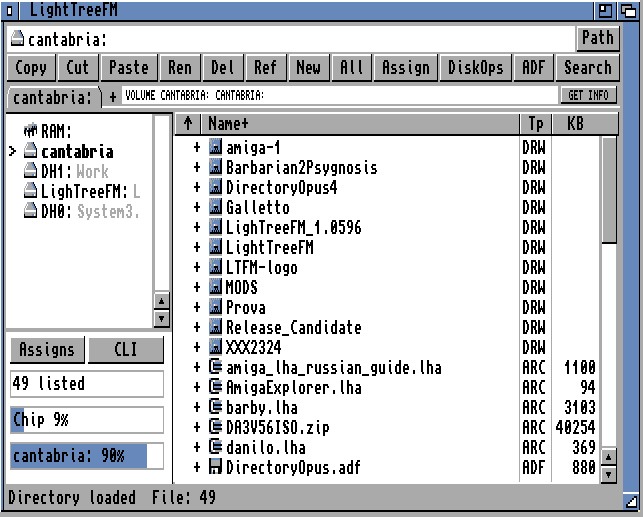
LightTreeFM is a native two-pane file manager designed for classic AmigaOS systems. It focuses on practical daily file work, low memory usage, predictable redraws, and a Workbench-friendly visual style that feels at home on real Amiga hardware.
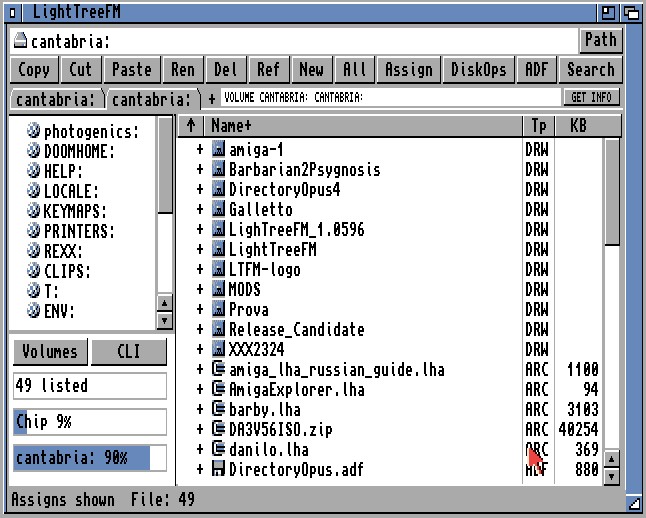
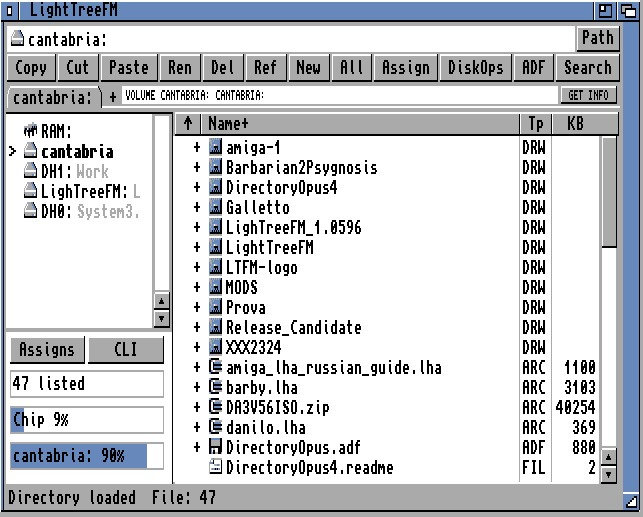
The interface is compact and direct: volumes and quick places on the left, directory contents on the right, a path bar, toolbar commands, status feedback, and GadTools menus for less frequent operations. It is built for repeated file management, not decoration.
Main Features
LightTreeFM supports the core operations expected from a file manager: browse drawers, copy, cut, paste, rename, delete, create new drawers and text files, refresh directories, sort by name/type/size/date, copy paths to the Amiga clipboard, and open a Shell in the current location.
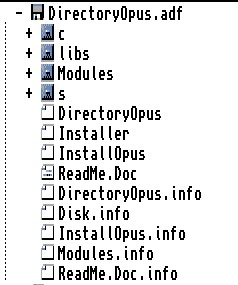
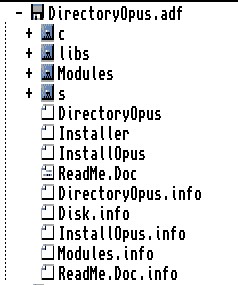
The right pane also supports tree-style expansion for drawers, supported archives, and readable ADF disk images, making it possible to inspect content without constantly changing directory.
Tabs and Navigation
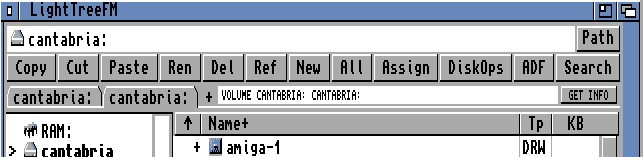
Multiple tabs let you keep several locations open at once, such as `Work:`, `RAM:`, a project drawer, or an archive view. Each tab keeps its own browsing state, including current path, selected item, scroll position, search state, and archive or ADF context.
Drag and Drop
LightTreeFM includes internal drag and drop for files and drawers. You can copy or move items between locations, drop into drawers, hover over tabs or volumes while dragging, use spring-loaded folder navigation, and auto-scroll near list edges.
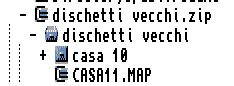
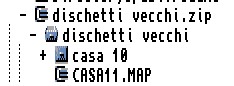
Drag and drop also works with virtual content. When an archive is expanded as a tree, you can drag single files, selected entries, or virtual drawers from the exploded archive tree directly into a real drawer. LightTreeFM extracts only the dragged archive content to the chosen destination, without unpacking the whole archive first.
ADF virtual entries can also be dragged out to real drawers. In this case, files and drawers are copied out of the ADF image. The original archive or ADF image is not modified by these browse or copy-out operations.
Archive Support
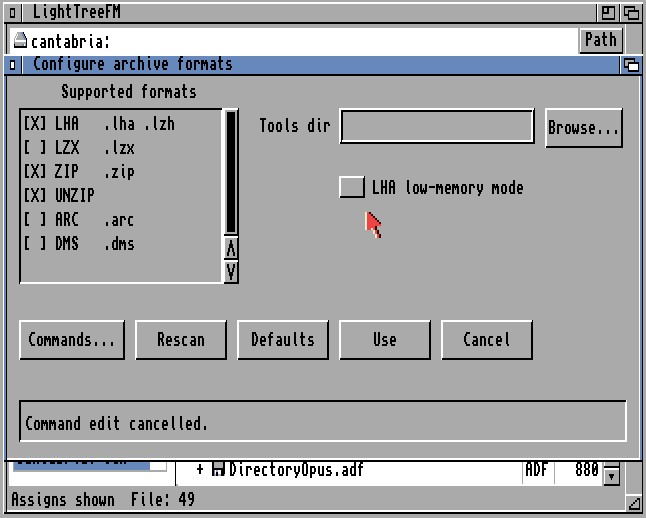
LightTreeFM works with common Amiga archive formats through external AmigaDOS tools:
- LHA / LZH
- LZX
- ZIP
- ARC
- DMS
Archives can be browsed as virtual folders, extracted fully or selectively, tested, created, and updated where the external tool supports it. You can expand an archive in the file list, inspect its internal tree, then extract only what you need by dragging individual files or folders out of the expanded archive view.
Archive commands and tool paths can be configured.
A special LHA low-memory mode is included for constrained systems. When enabled, LightTreeFM can free more memory for LHA operations, useful on base machines or setups with limited Fast RAM.
ADF and Floppy Tools
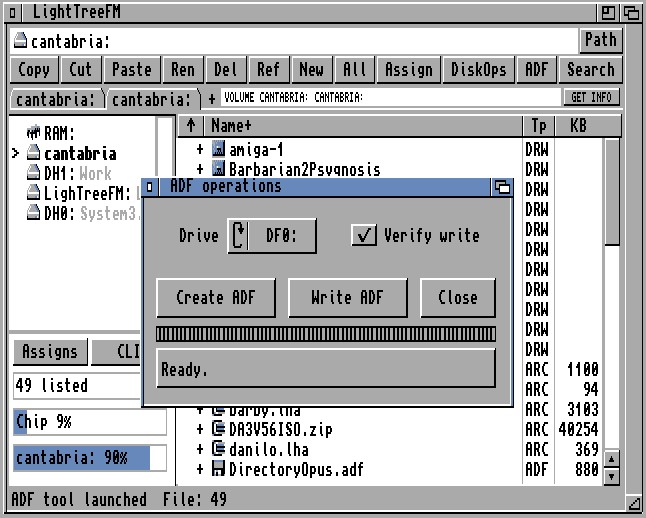
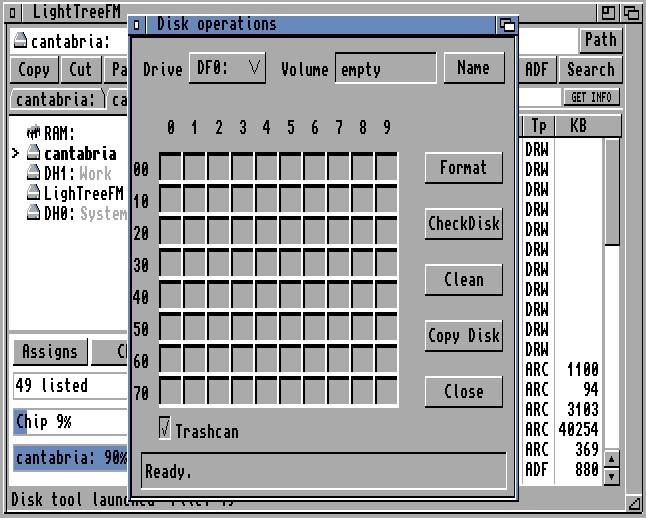
LightTreeFM includes ADF and floppy disk utilities:
- Create standard 901120 byte ADF images from floppy disks
- Write selected ADF images back to floppy
- Optional verify while writing
- Browse readable AmigaDOS ADF images as virtual folders
- Copy files and drawers out of ADF images
- Format, check, clean, and copy floppy disks
ADF browsing is read-only and intended for inspection and copy-out.
Search, Assigns, MOD Playback, and Image Viewing
The Search window can find files, drawers, or both below the current directory, using plain text or simple wildcard patterns.
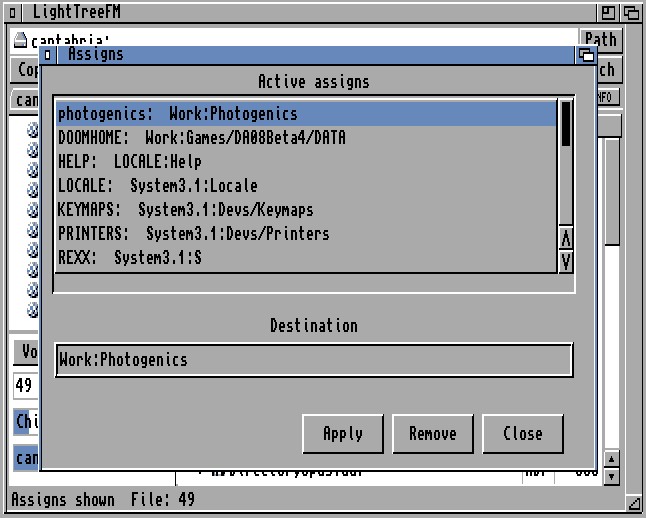
LightTreeFM can also create and manage active AmigaDOS assigns for the current session, making selected drawers available as `NAME:` paths.
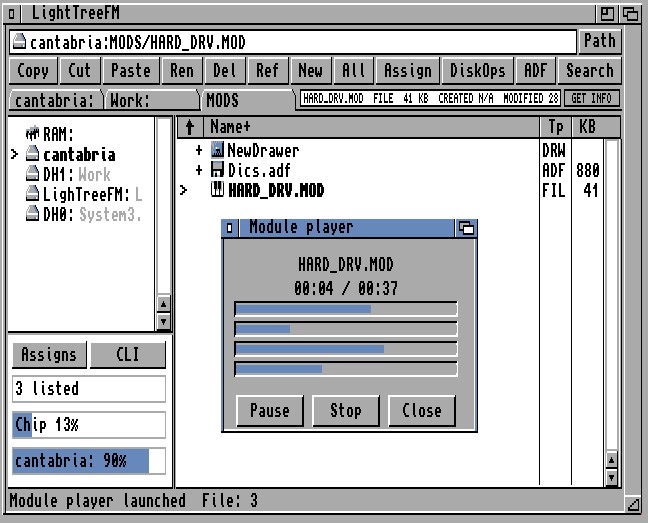
For media, LightTreeFM includes a compact ProTracker MOD player and an internal image viewer based on the AmigaOS DataTypes picture system.
Requirements
LightTreeFM targets AmigaOS 2.0 or newer and is built for 68000-compatible classic systems. It uses standard AmigaOS libraries and devices. Archive support requires the relevant external tools, such as `lha`, `lzx`, `zip`, `unzip`, `arc`, or `dms`, installed in `C:` or another command path.
For image viewing, AmigaOS DataTypes support is required. On AmigaOS 3.x systems, additional datatype packages may be needed for formats such as JPEG, PNG, BMP, or GIF.
Included Help
The distribution includes a full AmigaGuide manual:
`Help/LightTreeFM.guide`
It can be opened from the Help menu inside LightTreeFM or with AmigaGuide/MultiView.
Credits
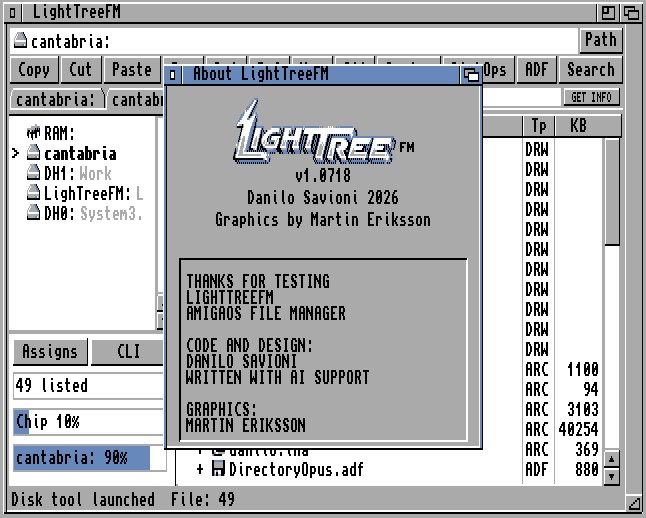
LightTreeFM is created by Danilo Savioni.
Graphics and logo by Martin Eriksson.
The project is currently under development and new features are already in the planning stage.
The project also uses standard AmigaOS components, external AmigaDOS tools where appropriate, and ptplayer for ProTracker module playback.
Download
Click download now to get access to the following files:
Development log
- One LightTreeFM, from Workbench 2.05 to RTG15 days ago
- WIP - LightTreeFM file/application associations68 days ago
- Thank You !! Please consider rating LightTreeFM on itch.io69 days ago
- Big update released for LightTreeFM70 days ago
- Big refactor in the makingMay 13, 2026
- Icons for main elements in LightTreeFMMay 11, 2026
Comments
Log in with itch.io to leave a comment.
Good stuff hehe.
What screen does the prog.. open. How many colors?
On standard 68000@7MHz OCS the refresh is a little slow and I am pretty sure
it is because of the amount of colors. Love the program :) Keep on the great work!
Public Screen... I must implement its own screen. Many improvements are ongoing...
Cool! I will for sure support this great program more :)
thank you so much nikosidis !!!!
Está increíble! buen trabajo.
Would you think it would be feasible to do an AROS port?
Maybe...in the future.. now i must implement more features i have in mind...like filetype/preferred application management, a dedicated trashcan / undelete , better high res support. thank you for your interest.
This is a very nice program. I tested now on my A500@7MHz and 9MB of RAM and even if a little slow on that configuration works very good! I will try on my Amiga 4000/030@25 soon. That will be great I think. Maybe clock and date in the top bar? Thanks for this great program. You put a lot of effort into this for sure :)
Thanks, nikosidis, for your support. I'm working right now to make this app even better. I'm trying to gather user feedback and fix the inevitable issues that will arise with the various different configurations.
Mes Amiga vous disent MERCI
Thank you for your video !!! i'm gald you like it...try the drag and drop feature to extract selected files inside lha and adf !!
Hope you can submit this to the amiga tool jam!
https://itch.io/jam/amiga-tools-jam-2026
Unfortunately I can't participate, I relied heavily on codex for writing the code, and I would be breaking the first rule
Love it! Who knows, it could work under MorphOS.
Thank you for this new compact tool !
I briefly tested it under my AOS4.1FE X-5000 and it runs very fast and smooth. Impressive !
Excellent, I’ll try it on my CD32 and my MorphOS too ! 😉